Booster club busywork, handled.
Announcio sends the reminders, takes the payments, helps fill the shifts, and gives families one place to find everything.
Parent? Sign in here
From $79 a month for the whole club. No per-family fee, no contract. No credit card needed to start.
- Announcements
- Payments
- Volunteers
- Fundraising
Replay of Ask Annie for parents. A parent asks: When’s the next meet? The assistant answers: The next meet is the Queen City Invite, Sat, Nov 21 to Sun, Nov 22, at Sharonville Convention Center. The parent asks: What’s my balance? The assistant answers: Your balance is $535.25. Jada: $535.25 Jada: Autopay is on: next payment $100.00 on December 4, 2026.
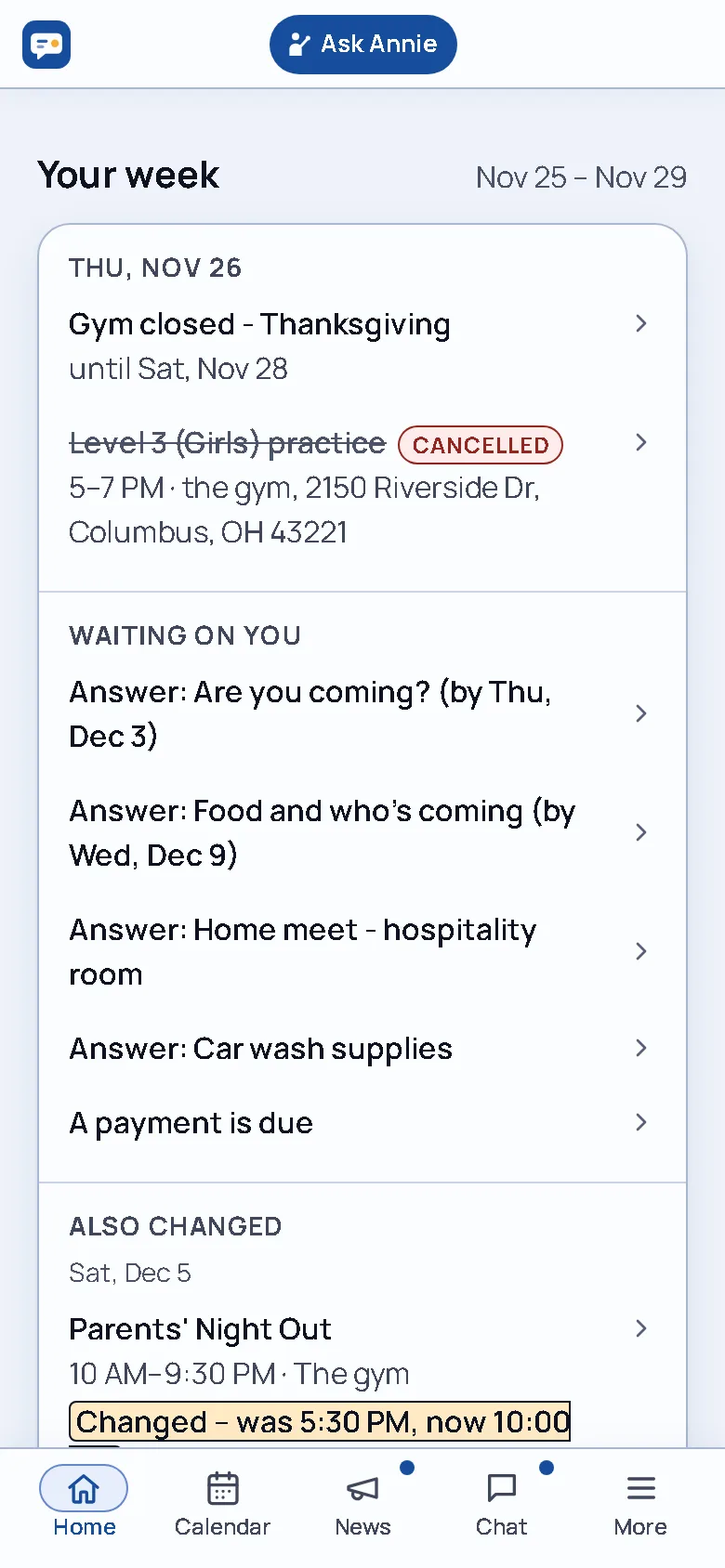
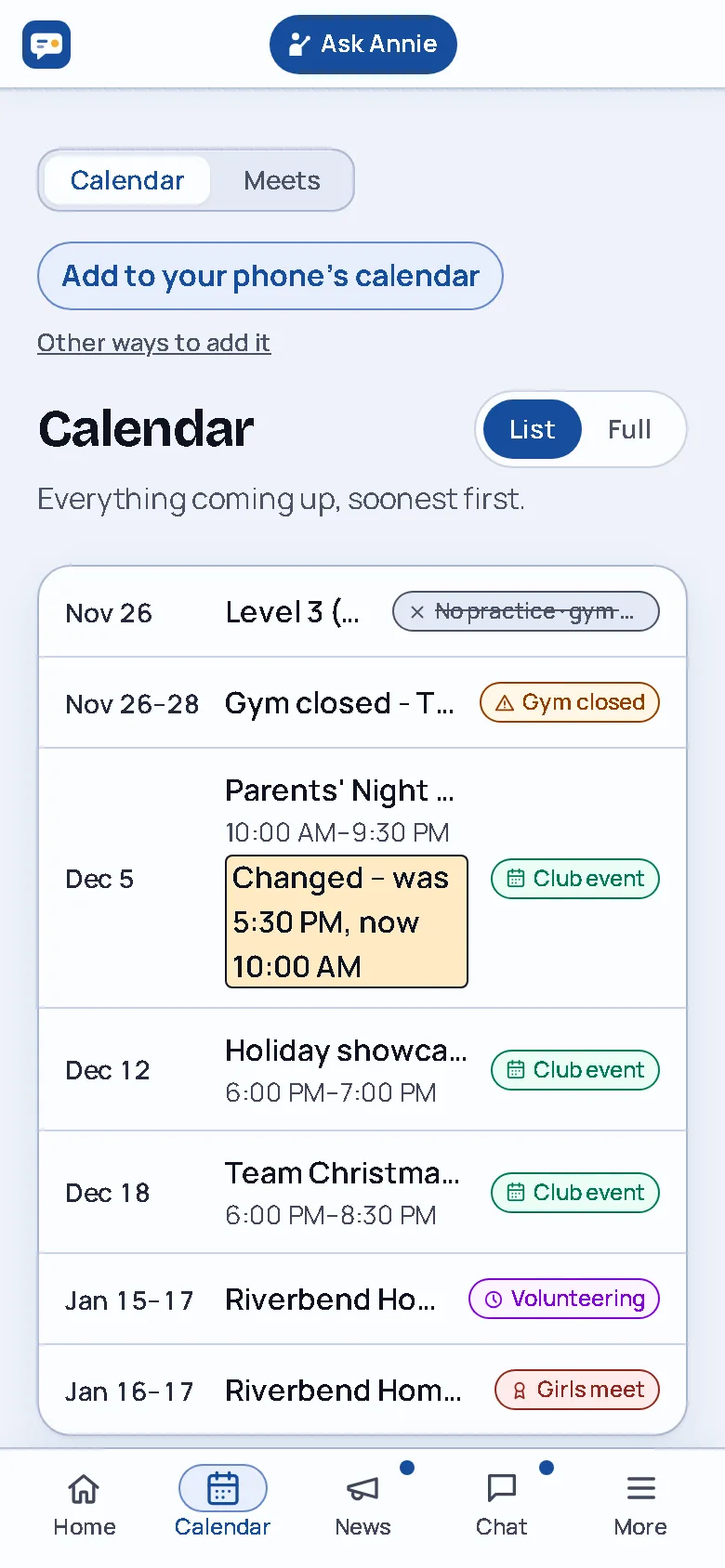
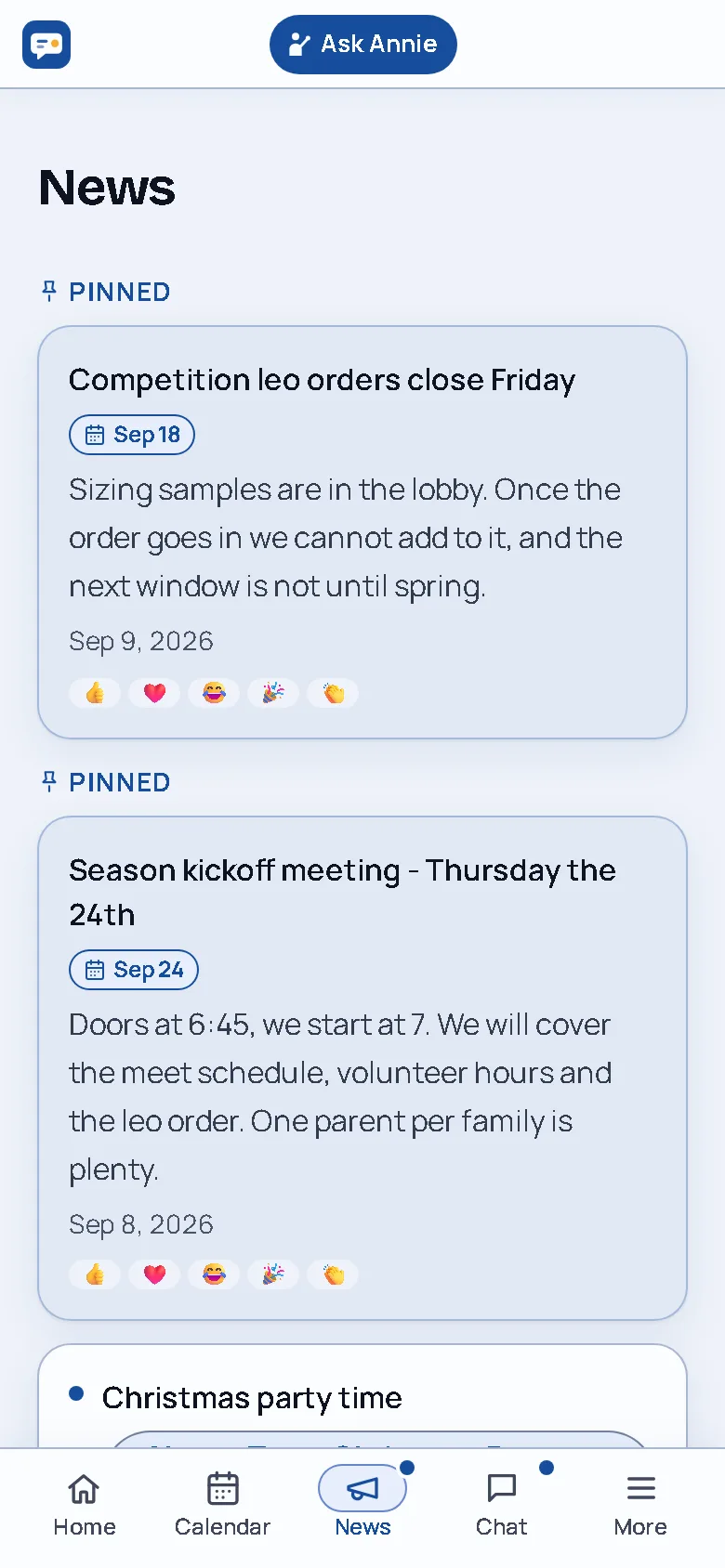
The parent app, Riverbend demo club.
- Your money, your account
Payments land in your club’s own Stripe account. We never hold it.
- One price, any size
No per-family fee, no per-athlete fee, no contract.
- The AI doesn’t get your roster
The app does not give the AI your roster, your children’s names or anyone’s balance.
- No credit card needed to start.
Create your club and look around first.
Everything your club runs on is in five different places
- 01One app for messages.
- 02Another for payments.
- 03A spreadsheet for balances.
- 04A form for volunteers.
- 05The schedule in an email somewhere.
You volunteered to help out. Not to spend your evenings reminding everyone about the same deadline. And when a parent can’t find something?
They ask you.
Just say what you need.
Type: “Level 4 practice is cancelled Thursday, tell the families.”
Ask Annie sets it all up for you: Thursday’s practice marked cancelled, and families set to be notified. You look it over and tap Save. Nothing is sent to families until you tap Save.
Replay of Ask Annie for admins. The admin types: Level 4 practice is cancelled Thursday, tell the families. The assistant answers: No practice Thu, Nov 12 for Level 4 (Girls). I’ve filled it in on the Practice schedule for you to check. It offers a button, Show me on the page. The Practice schedule opens with Change one day filled in: the date is Thursday, Level 4 (Girls) is ticked, No practice is chosen, and Tell families, Mark it urgent and Notify families are ticked. A note says: Filled in by Annie. Check it, then tap Save change. Nothing is saved or sent until the admin taps Save change.
A replay of the admin’s real screens, in the Riverbend demo club. No real family appears.
Included in Announcio + AI Assistant, and in every free trial.
Walkthroughs that light up each button
Not sure where something is? Ask. It shows you, one step at a time, on the page.
Guided club setup
New club? It takes you through setting up, one step at a time.
Answers any time
When’s practice this week? What time does the meet start? What do we bring? What do we owe? Parents ask, and get an answer, even at 11 PM.
One tap to the board
If it doesn’t know, it says so. One tap opens a message to the board, already written.
The app does not give the AI your roster, your children’s names or anyone’s balance. If you attach a flyer, the app checks it first on our own servers. If it finds people or your club’s children’s names, it sends only the flyer’s words, with those names taken out. It runs in the US, on Anthropic’s Claude, and Anthropic doesn’t train its models on your club’s questions.
One place to run the booster club.
- 01
Reminders go out whether you remember or not
Set a fundraiser deadline once. Two evenings before, every family gets a reminder — and volunteers get one before their shift. You stop being the person who has to remember.
- 02
Fewer “I didn’t see that” messages
Post an announcement once. Families who’ve turned on notifications get a push, everyone else gets an email, usually within five minutes. Nobody has to remember which group chat it was in.
- 03
Ask only the families who haven’t taken a shift
See which shifts still need filling. One tap asks the families who haven’t signed up yet — not everyone for the fourth time.
- 04
Record a whole fundraiser in one upload
Entering each family’s total by hand takes a long time, and it’s easy to make a mistake. Upload one spreadsheet and every family is updated at once. You check the changes before they’re saved, and you can undo the whole upload with one click.
- 05
Stop rebuilding the same report every month
Income, what’s owed, who’s overdue — all on one screen, with a monthly report you can download as a PDF and hand out at the meeting.
- 06
Families stop asking you where things are
Dates, shifts, balances, deadlines. One place they can check themselves.
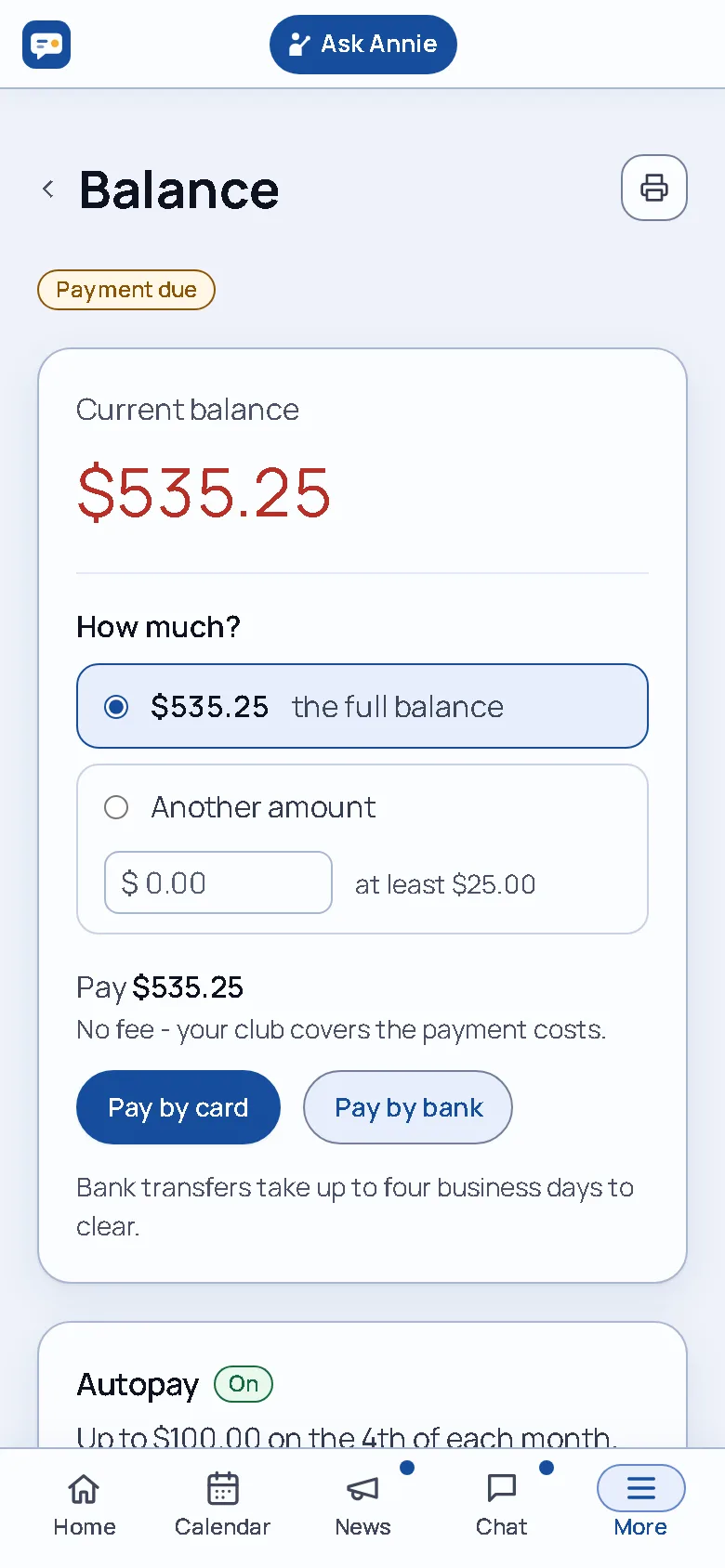
One dues list — no spreadsheet.
Every family sees their own balance, and you see the whole club in one table — who has paid and who hasn’t.
Card payments update the balance in seconds. Bank transfers show as in progress until they clear. No reconciling a payment app against a sheet at 11pm.
Autopay, until it’s paid
A family chooses an amount (at least $25) and a day, and it comes from their bank each month until the balance is paid, never more than what’s still owed. They get a reminder 10 days before each payment and again the day before, and can pause or cancel on their Balance page.
We never hold your money. It goes straight to your club’s account. Each online payment has a fee, shown below.
Each online payment has a fee. From December 6, 2026: 3.25% + $1.50 by card, or 2.5% + $1 by bank (never more than $30). Until then: 3.1% + $1.00 by card, or 2% by bank (never more than $12). Your club chooses who pays the fee: the club, or the family, added to what they pay.
Today it’s scattered. Here’s the swap.
Parents miss due dates, sign-ups, schedule changes. Announcio puts it all in one place.
Announcements
The bake sale change buried under photos; the same message pasted into three chats
Targeted by level, so only the families it affects get it
Fundraiser deadlines
Order forms due Friday, chased by hand by whoever remembers
Two evenings before the deadline, every family gets a reminder, and the date is on the calendar families subscribe to
Dues and balances
Dues matched by hand by the treasurer
Card payments update the balance in seconds. Bank transfers show as in progress until they clear.
Volunteer shifts
Shared in three chats; who’s covering the bake sale lives in someone’s inbox
See which shifts still need people, and ask only the families who haven’t signed up
On the “today” side, nothing talks to anything else.
What works today
Everything below is live — not planned, not in preview. If something here matters to you, it works today.
Announcements
Post once, in the app. Target a level so only those families get it, and pin what matters. Families see what they have not read yet.
Season calendar
One schedule families can subscribe to.
Dues and balances
Track what each family owes.
Roster
Athletes, guardians and contact numbers.
Volunteer management
Signup slots for meets and concessions, with hours tracked per family.
Fundraising
Campaign goals and per-family progress against them.
Club store
Spirit wear with its own public storefront, plus inventory. Close it to parents between orders without taking it down.
Team chat
Channels and threads, with moderation and a retention window the board sets.
Treasurer’s report
Income by source and receivables aged by month, as a PDF for the board pack. Refunds and disputes post back to the family’s balance on their own.
Ask Annie
Just say what you need, and it fills in the announcement, event or meet for you to check. Parents get instant answers about the schedule and their balance.
One price for the whole club, whatever its size.
Not per family, not per athlete. No limit on families or announcements. No credit card needed to start, and the 15-day free trial includes Ask Annie.
Announcio
or $790 a year (2 months free)
Everything except Ask Annie.
- Announcements, calendar, practice schedules and meet details
- Dues, balances, card and bank payments, autopay
- Volunteers, fundraising, store and chat
- Club FAQ, level reps, and the treasurer’s report
Announcio + AI Assistant
Recommendedor $990 a year (2 months free)
Everything, plus Ask Annie for admins and parents.
- Everything in Announcio
- Just say what you need: it fills in announcements, events and meets
- Walkthroughs and guided setup
- Answers for parents any time, with one tap to the board
Fair use: a daily limit applies. Your club can turn it off for parents, or for everyone, any time.
Start your clubEach online payment has a fee. From December 6, 2026: 3.25% + $1.50 by card, or 2.5% + $1 by bank (never more than $30). Until then: 3.1% + $1.00 by card, or 2% by bank (never more than $12). Your club chooses who pays the fee: the club, or the family, added to what they pay.
You run the booster club. Announcio handles the busywork.
Set up your club, import the roster from a CSV, send the first announcement.